
How PW IOI Students Built Production-Ready AI/ML Projects While Still in College
 Aarti .11 Jul, 2026
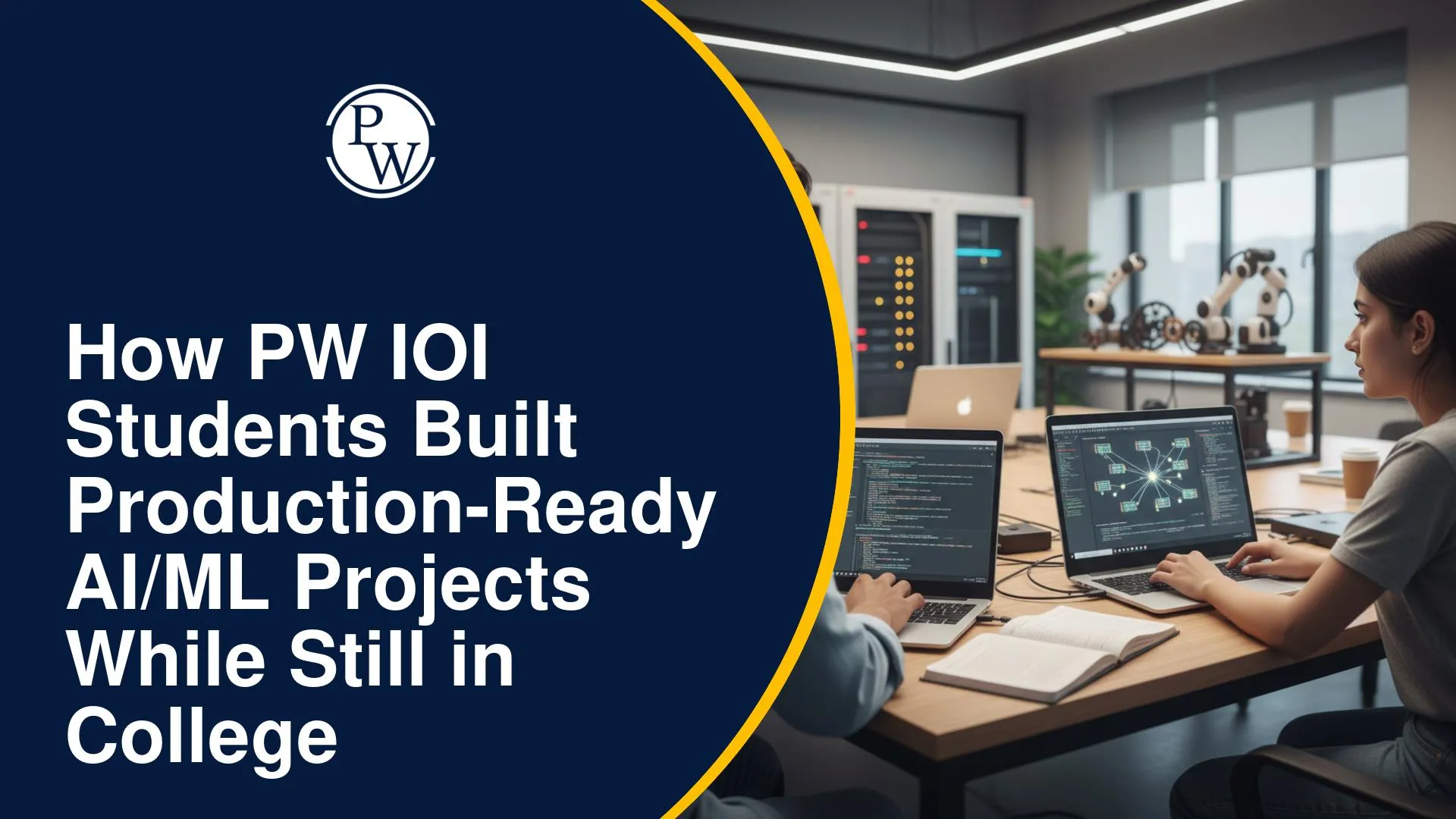
Artificial Intelligence (AI) and Machine Learning (ML) have become some of the most in-demand skills in today's technology industry. However, many college students face a common challenge—they spend a lot of time learning concepts in classrooms but get very few opportunities to build applications that solve real-world problems. As a result, they often graduate with theoretical knowledge but limited hands-on experience to showcase during internships or job interviews.
At PW Institute of Innovation (PW IOI), learning goes beyond understanding algorithms and models. You get opportunities to build AI, ML, NLP, and full-stack applications that address practical problems. From AI-powered document intelligence platforms and predictive analytics tools to intelligent search systems and computer vision applications, these projects help you apply what you learn while building a portfolio that reflects real development experience.
What Does "Production-Ready AI/ML Project" Actually Mean?
Building a machine learning model or completing a notebook is only one part of an AI project. A production-ready AI/ML project combines AI with software development, databases, APIs, and deployment to create an application that real users can access and use.
The table below highlights the difference between a classroom project and a production-ready AI/ML application.
|
Academic AI Project |
Production-Ready AI/ML Project |
|
Focuses on learning concepts |
Focuses on solving a real problem |
|
Runs only on a local machine |
Can be accessed and used online |
|
Uses sample datasets |
Works with real user data and documents |
|
Model development is the main goal |
AI is integrated into a complete application |
|
Limited user interface |
Interactive interface designed for users |
|
Usually ends after evaluation |
Can continue to improve with new features |
A production-ready AI application typically includes several components working together, such as:
-
A frontend where users interact with the application.
-
Backend services that process requests.
-
APIs that connect different parts of the application.
-
Databases to securely store information.
-
Authentication to manage user access.
-
AI or ML models that generate predictions or insights.
-
Deployment so the application can be accessed online.
Example: InsightForge AI
A good example of this approach is InsightForge AI, developed by PW IOI student Rohit Makani.
The project demonstrates how multiple AI technologies—including LLMs, semantic search, embeddings, and RAG—can be combined to build a complete document intelligence platform rather than an isolated machine learning model.
The platform allows users to:
-
Upload PDF files and documents.
-
Chat with documents using natural language.
-
Generate summaries in seconds.
-
Extract important insights from large reports.
-
Search documents using semantic search instead of keyword matching.
-
Ask questions and receive answers based only on the uploaded document.
The platform combines technologies such as Large Language Models (LLMs), Retrieval-Augmented Generation (RAG), document parsing, and embeddings to deliver practical functionality.
Instead of serving as a classroom demonstration, it solves a real problem through an application designed for everyday use. This is what makes a production-ready AI project different from a typical academic assignment.
Types of AI/ML Projects Built by PW IOI Students
AI is being used across industries to automate tasks, improve decision-making, and create better user experiences. Instead of limiting learning to theory, PW IOI students work on projects that reflect these real industry applications.
Here are some of the major categories of AI and ML projects built during the program.
AI Document Intelligence and NLP Applications
Natural Language Processing (NLP) enables computers to understand, analyze, and generate human language. A good example is InsightForge AI, built by Rohit Makani, which helps users upload documents, ask questions in natural language, generate AI-powered summaries, and quickly find key information without manually reading entire files.
Building an application like this involves combining several AI technologies, including:
-
Large Language Models (LLMs)
-
Retrieval-Augmented Generation (RAG)
-
Semantic search
-
Document parsing
-
Text embeddings
Projects like these demonstrate how AI can improve research, learning, and document analysis by making information easier to access.
Predictive Analytics Projects
Machine Learning helps identify patterns in data and make predictions for real-world problems. At PW IOI, students apply these techniques by building predictive analytics projects such as cryptocurrency price forecasting and customer churn prediction.
Some examples include:
Cryptocurrency Price Prediction
These projects analyze historical cryptocurrency data to identify trends and generate future price predictions using machine learning algorithms.
While no prediction model can guarantee future prices, building such applications helps you understand:
-
Data preprocessing
-
Feature engineering
-
Time-series analysis
-
Model evaluation
-
Performance optimization
Customer Churn Prediction
Businesses often want to know which customers are likely to stop using their products or services.
Customer churn prediction projects use historical customer data to identify patterns that indicate potential churn. Companies can then take preventive action to improve customer retention.
Working on these projects helps you gain practical experience in:
-
Data analysis
-
Classification models
-
Feature selection
-
Business-focused machine learning applications
These projects demonstrate how AI can solve practical business challenges rather than focusing only on academic datasets.
Computer Vision Applications
Computer Vision enables computers to interpret and analyze visual information from images and videos. PW IOI students also explore projects in this domain by building applications such as:
-
Face recognition systems
-
Object detection applications
-
Camera-based automation tools
These applications use live camera feeds or image data to recognize people, detect objects, and automate tasks. By building them, you learn how AI models process visual information and integrate into real-world software. Since Computer Vision is widely used in industries like healthcare, security, retail, manufacturing, and automation, these projects can strengthen your AI portfolio.
AI Chatbots and Intelligent Search Systems
Modern AI applications are increasingly moving beyond simple chatbots. They are designed to understand context, retrieve relevant information, and generate meaningful responses.
PW IOI students build intelligent applications that combine conversational AI with advanced search capabilities.
These projects may include:
-
AI-powered assistants
-
Context-aware search systems
-
Intelligent question-answering applications
-
Document-based chat interfaces
Instead of searching the internet, these systems retrieve information from specific documents or datasets to generate relevant responses. Building such applications gives you hands-on experience with technologies like LLMs, embeddings, semantic search, and Retrieval-Augmented Generation (RAG).
By working across areas such as NLP, predictive analytics, computer vision, and intelligent search, you also learn how to combine AI models with full-stack development, databases, APIs, and deployment to build real-world applications.
How Do Students Build These Projects While Still in College?
Building an AI or ML application while managing college may seem challenging at first. However, most projects begin with a simple idea and gradually evolve into complete applications through learning, development, testing, and continuous improvement.
Here's how the journey typically looks.
1. Identifying a Real Problem
Every successful project starts with a problem worth solving.
Rather than building an application just to practice coding, you first identify a challenge that people commonly face.
For example:
-
Reading lengthy reports or research papers takes time.
-
Businesses want to predict customer churn before it happens.
-
Users need faster ways to search through documents.
-
People preparing for coding interviews need a better practice platform.
-
Students often struggle to find teammates for projects.
Starting with a real problem helps you build applications that have practical value.
2. Learning the Right Concepts
Once the problem is identified, the next step is understanding the technologies needed to solve it.
Depending on the project, this may include learning:
-
Machine Learning fundamentals
-
Python programming
-
Data preprocessing
-
Neural networks
-
Natural Language Processing (NLP)
-
Computer Vision
-
Large Language Models (LLMs)
-
Full-stack development
-
Database management
Instead of learning every technology at once, you build knowledge based on what your project requires.
3. Building the First Prototype
The first version of a project is rarely perfect. It usually includes only the core functionality needed to test whether the idea works.
For example, before InsightForge AI became a document intelligence platform, the first prototype could simply process a document and answer basic questions. Additional capabilities such as semantic search, document summaries, and a better user interface can then be added over time.
Building a prototype allows you to test ideas quickly and identify areas for improvement before investing more time in development.
4. Improving Through Collaboration and Hackathons
Once the first version is ready, the project continues to improve through collaboration, testing, and new features. A good example is EcoGlam, a personalized skincare platform built during a 24-hour hackathon.
Instead of trying to build everything at once, the team focused on solving a real problem by making personalized skincare recommendations more accessible and affordable.
Within a limited timeframe, they built a working product featuring:
-
User authentication
-
Personalized skincare quiz
-
Shopping cart
-
Order tracking
-
Modern React-based interface
The project went on to finish among the Top 10 teams, demonstrating how focused collaboration and quick iteration can transform an idea into a functional product.
Hackathons also help you:
-
Work within deadlines
-
Divide responsibilities across a team
-
Build features quickly
-
Solve unexpected technical challenges
-
Present your work confidently
These experiences closely resemble real software development environments.
5. Adding Features Based on User Needs
After the first working version is complete, the project doesn't stop there. As you gain more experience, you continue improving the application by adding features that make it more useful.
A great example is Minili.info, developed by PW IOI student Mitesh Agarwal. What began as a simple URL shortener gradually evolved into a feature-rich link management platform.
Instead of limiting the application to shortening links, additional capabilities were introduced, including:
-
Custom short URLs
-
Password-protected links
-
One-time access links
-
QR code generation
-
Click analytics
-
Faster and more intuitive user experience
This gradual improvement reflects an important aspect of product development—building a working solution first and then expanding it based on user needs.
6. Testing and Deployment
Before an application can be used by others, it needs to be tested thoroughly.
This includes checking whether:
-
Features work as expected.
-
APIs communicate correctly.
-
User authentication is secure.
-
Databases store information properly.
-
AI responses are reliable.
-
The application performs well under different conditions.
Once testing is complete, the application can be deployed so that other users can access it online.
Deployment marks an important milestone because the project moves beyond your local system and becomes available for real-world use.
7. Showcasing the Project
Completing a project is only part of the journey. You also need to demonstrate what you've built.
Many students showcase their work through:
-
GitHub repositories
-
Project demonstrations
-
Hackathons
-
Innovation events such as Innovation Carnival and APEX
-
Technical portfolios
Showcasing your projects helps recruiters, mentors, and peers understand your problem-solving approach and technical skills.
By following this process, you move from learning concepts to building complete applications while gaining hands-on experience in solving real problems, improving products, and presenting your work—skills that are valuable in AI and software development careers.
What Technologies Do Students Use to Build Production-Ready AI/ML Projects?
Building an AI/ML application goes beyond training a model. It combines AI with web development, databases, APIs, and deployment to create applications that users can interact with. Depending on the project, you may use the following technologies.
|
Category |
Technologies |
|
AI & Machine Learning |
Python, TensorFlow, PyTorch |
|
LLM & NLP |
Retrieval-Augmented Generation (RAG), Embeddings, LangChain |
|
Backend Development |
Node.js, Express.js, FastAPI |
|
Frontend Development |
React, Material UI |
|
Database |
MongoDB |
|
Deployment & Collaboration |
APIs, Git, Cloud Deployment |
These technologies often work together within a single application.
A single AI application often combines multiple technologies. For example, an AI-powered document platform may use Python for AI processing, React for the frontend, Node.js for the backend, MongoDB for data storage, and APIs and cloud deployment to make the application accessible online.
Similarly, projects like EcoGlam and Minili.info combine frontend, backend, databases, authentication, and modern web technologies to build complete applications. Working with multiple technologies in one project helps you understand how different components work together while gaining practical development experience.
How Do These Projects Prepare You for Internships and AI Careers?
Recruiters don't just want to know which programming languages or AI concepts you've studied. They also want to see how you apply that knowledge to solve practical problems.
Building real-world projects gives you tangible examples to discuss during internship and placement interviews.
These projects can strengthen your profile by helping you:
-
Showcase practical AI and software development skills.
-
Build a portfolio with complete applications.
-
Maintain GitHub repositories that reflect your work.
-
Participate in hackathons and innovation events.
-
Improve problem-solving and debugging skills.
-
Learn how to collaborate with teammates.
-
Understand the complete development lifecycle, from idea to deployment.
One example is Rohit Makani, who started at PW LeapX, working on large-scale AI projects before joining an AI startup as an AI Intern. Through continuous learning and hands-on experience, he progressed to become a Founding AI Engineer at DoableClaw (formerly Xan Private AI Limited).
His journey shows how building practical AI projects and solving real-world problems can open opportunities in the industry. Whether you're aiming for an internship or a full-time AI role, a strong project portfolio helps you showcase your skills through the applications you've built and the challenges you've solved.
What Other Real-World Products Have PW IOI Students Built?
While AI and Machine Learning projects are a major focus, they are only one part of what students build at PW IOI. Many students also create full-stack applications that solve everyday problems across education, productivity, collaboration, e-commerce, and software development.
These projects demonstrate how technical skills, product thinking, and user-focused development come together to create applications that people can use.
EcoGlam – Personalized Skincare Platform
Built by Anuj Kumar during a 24-hour hackathon, EcoGlam is a full-stack skincare platform that makes personalized skincare recommendations more accessible. It combines a recommendation quiz with e-commerce features, allowing users to discover suitable products and purchase them in one place.
Some of its key features include:
-
User registration and login
-
Personalized skincare recommendation quiz
-
Shopping cart
-
Order tracking
-
Modern React-based interface
What makes this project noteworthy is that the team transformed an idea into a working prototype within just 24 hours and secured a place among the Top 10 teams in the hackathon.
Minili.info – URL Management Platform
Most URL shorteners only reduce the length of links. Mitesh Agarwal expanded this idea by creating Minili.info, a platform that gives users greater control over how they share and manage links.
The application includes features such as:
-
Custom short links
-
Personalized aliases
-
Password-protected links
-
One-time access links
-
QR code generation
-
Click analytics
Built using the MERN stack, the project demonstrates how a simple idea can grow into a feature-rich application by focusing on user needs and continuously adding new capabilities.
Collab Sphere – Finding the Right People to Build With
Many great ideas never move forward because finding the right collaborators can be difficult.
To solve this challenge, Riyanshi Tomar developed Collab Sphere, a platform that helps students, developers, designers, and innovators connect with people who share similar interests and skills.
The platform allows users to:
-
Create personal profiles
-
Highlight their skills and interests
-
Discover collaboration opportunities
-
Connect with potential teammates
-
Build communities around projects
By making collaboration easier, the project encourages users to turn ideas into meaningful projects instead of working alone.
DooCode – Interview Preparation Platform
Preparing for technical interviews often requires switching between multiple websites for coding questions, learning resources, and progress tracking.
To simplify this process, Rohit Shah built DooCode, a platform designed to support coding interview preparation in one place.
Some of its key features include:
-
Interview-focused coding practice
-
Company-style coding challenges
-
Learning paths
-
Progress tracking
-
Clean and easy-to-use interface
The project focuses on helping users prepare more effectively by combining practice and learning within a single platform.
Ctrlify – Productivity Workspace
Managing different digital tools can become difficult when work is spread across multiple applications.
To improve this experience, Nishchay Bhatia created Ctrlify, a productivity platform designed to bring common workflows together in one workspace.
The project focuses on:
-
Organizing daily tasks
-
Improving productivity
-
Simplifying digital workflows
-
Creating an intuitive user experience
-
Building an application that can grow with user needs
This project demonstrates how solving a common productivity challenge can lead to a practical application with real-world value.
AVL Tree Visualizer – Learning Data Structures Through Visualization
Some computer science concepts are easier to understand when you can see them in action.
With this idea, Shohyb Ansari built the AVL Tree Visualizer, an interactive web application that demonstrates how AVL Trees work.
Users can:
-
Insert and delete nodes
-
Watch balancing operations happen in real time
-
Understand tree rotations
-
Visualize changes in tree height and structure
Instead of relying on static textbook diagrams, the application provides an interactive learning experience that makes a complex topic easier to understand.
Together, these projects show that learning extends beyond writing code. Whether it's building AI applications, productivity tools, educational platforms, or e-commerce solutions, the focus remains on identifying real problems and creating products that people can use.
PW IOI Students Build Production-Ready AI/ML Projects FAQs
Can you build AI/ML projects even if you're new to Artificial Intelligence?
Do you need prior coding experience before building AI/ML projects?
Are these projects built individually or in teams?
Are the AI projects deployed for real users?
What AI technologies are used in these projects?